Snapshots
A snapshot is a point-in-time, crash-consistent copy of a volume. Two common uses:
- Backup — take snapshots on a schedule so a corrupted filesystem or accidental
rm -rfis recoverable. - Golden images — install software once, snapshot, then boot every new VM with
--root_volume_source_snapshot_id.
Snapshots are stored independently of the source volume. Deleting the volume does not delete its snapshots.
Create
exc compute snapshot create --volume_id 7The snapshot is taken without detaching the volume. It captures whatever is on disk at the moment the API call lands — application-level consistency (databases, anything with caches in RAM) is your responsibility. For databases, flush / fsync / xfs_freeze before snapshotting if you can’t tolerate replay on restore.
Use as a boot source
exc compute create \
  --name web-2 \
  --image_id 1 \
  --instance_type m1a.large \
  --subnet_id 1 \
  --ssh_pubkey my-key \
  --root_volume_source_snapshot_id 99 \
  --wait
The new VM boots from a fresh volume cloned from snapshot 99. This is the cleanest way to roll out an immutable golden image.
Lifecycle
exc compute snapshot list
exc compute snapshot delete --snapshot_id 99
Console
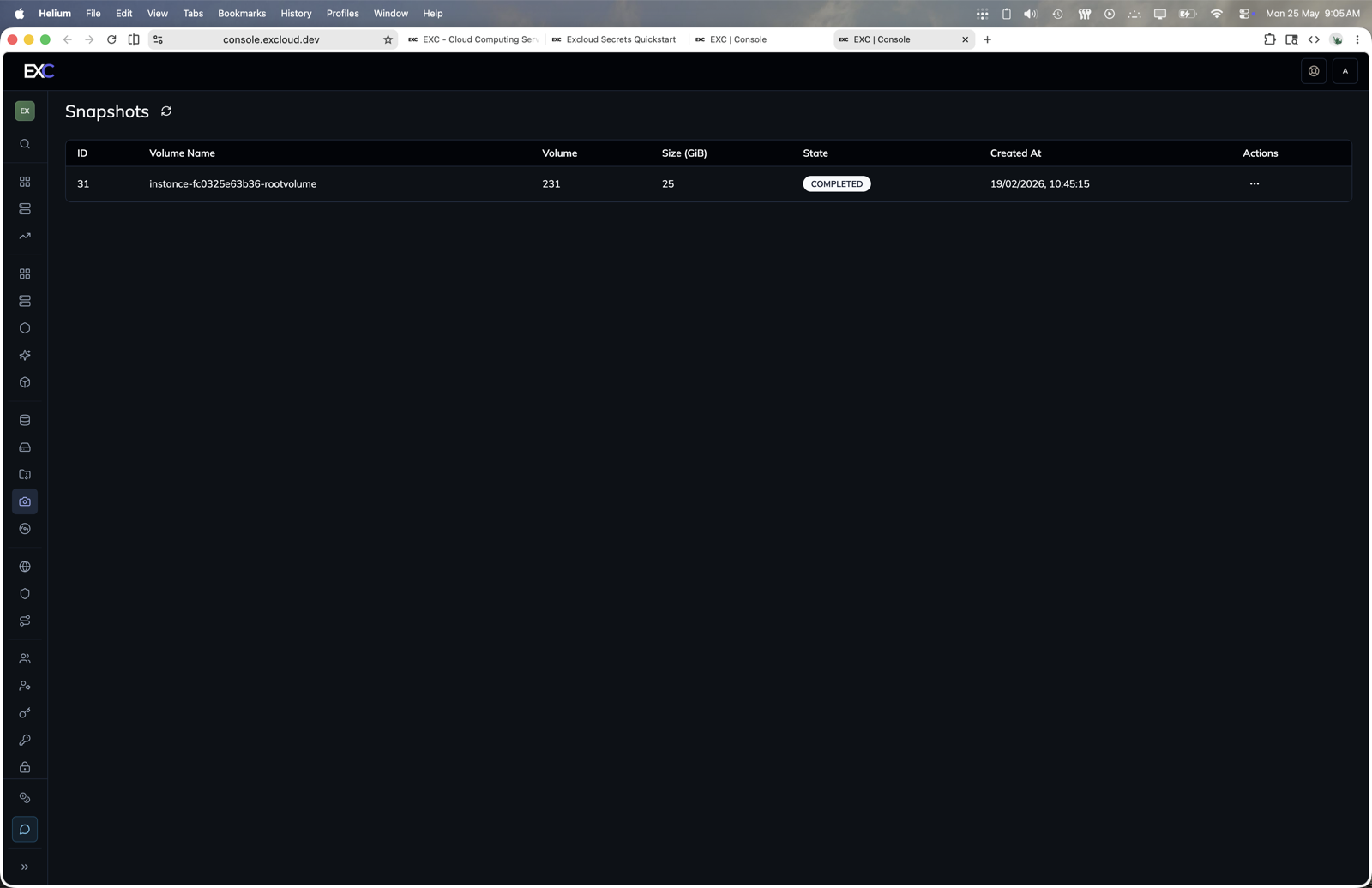
- Open console.excloud.dev/console/snapshots.
- Review snapshot state, source volume, size, and creation time.
- Use the snapshot row actions for available lifecycle operations.
Scheduling
There’s no native scheduler today; pick one of:
- A cron job on a bastion that calls
exc compute snapshot create. - The Terraform
excloud_snapshotresource, applied on a schedule by your CI. - An Excloud Scheduler entry (when generally available).
Required permissions
| Action | Permission |
|---|---|
| Create | compute:snapshot:create |
| List | compute:snapshot:list |
| Delete | compute:snapshot:delete |
See the Permissions Reference.
Prev
VolumesNext
Public IPv4